The Private-Sale Shakedown: Buying a Used Laptop in the UK Without Regret
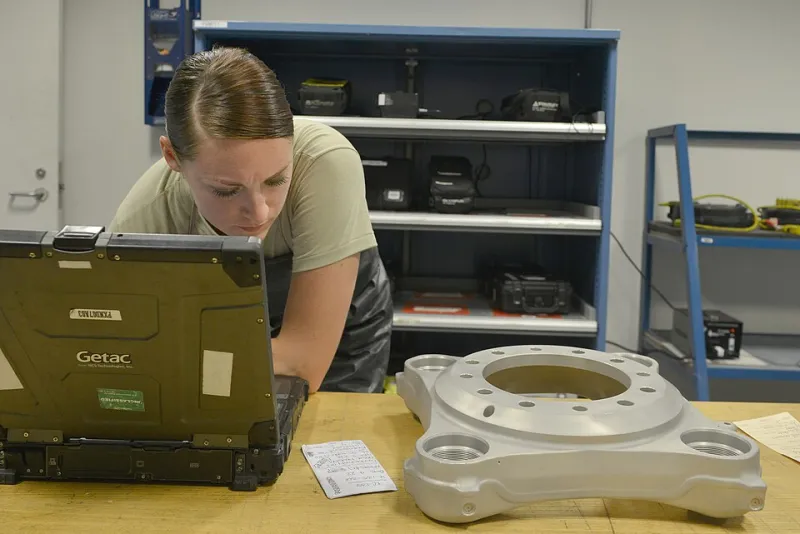
Photo: Staff Sgt. Alex Montes, Public domain, via Wikimedia Commons
Buying a laptop from a stranger is a bit like buying a second-hand car from a pub car park: the price can be great, but the story matters more than the shine. In 2026, private sales on eBay, Facebook Marketplace and at car-boot sales are still full of genuinely good ex-business machines — and still full of laptops that have been dropped, drowned, stolen or quietly locked to a company account. The trick is not to be paranoid. It is to be methodical.
Ask before you travel
A good seller will answer questions without getting defensive. Start with the basics: exact model number, age, original receipt or proof of purchase, and whether it has been repaired. Ask why they are selling. ‘I bought a new one’ is fine; ‘it just stopped working, but I am sure it is an easy fix’ is your cue to walk away unless the price reflects a project machine.
Ask for photos of the serial number, the battery report and the underside. If the seller will not send them, that is information too. On Facebook Marketplace, check the profile’s history and whether the laptop photos look like they were taken in the same place as the seller’s other items. On eBay, read the feedback and avoid listings that use stock photos for a used item. At a car-boot sale, you have less history to go on, so lean harder on the inspection routine below.
Meet safely and sensibly
For a private meet-up, choose a busy public place: a supermarket café, a station concourse, a police station foyer where available. Take someone with you if you can, and tell a friend where you are going. Do not invite a stranger to your home for a laptop sale, and do not go to an isolated address alone. If the seller insists on a location that feels wrong, trust that feeling.
Daylight helps. So does having a phone hotspot or asking to use the venue’s Wi-Fi so you can test the machine online. If the seller will not allow a proper inspection before payment, thank them and leave. A genuine seller has nothing to hide.
Proof of ownership and the stolen-laptop question
Ask for the original receipt or order confirmation. If it is a company machine, ask whether it has been released from the company’s management. A laptop that still enrols into a corporate account on first setup can be remotely wiped or locked — not a bargain. Check that the serial number on the listing or receipt matches the one on the laptop. A mismatch is a serious red flag.
For higher-value buys, consider a paid history check using the serial number through a service such as CheckMEND. It is not foolproof, but it can flag devices reported stolen or blocked. Also ask the seller to show a photo ID that matches the name on the receipt, and make a note of it. If they refuse, ask yourself why. You do not need to be aggressive; you just need to be sure the person selling the laptop has the right to sell it.
Battery health: the number that matters
Battery wear is the most common hidden cost in a used laptop. On Windows, ask the seller to run powercfg /batteryreport in Command Prompt and show you the report. Look at design capacity versus full charge capacity, and the cycle count. A battery at 70% of its original capacity is usable but tired; below 50% and you should price in a replacement. On a MacBook, check the battery condition in System Settings and the cycle count.
Do not accept ‘it lasts all day’ as evidence. Ask for the report before you meet, then run it again yourself during the inspection. If the seller cannot or will not do this, assume the battery is worse than described and adjust your offer.
Payment methods that protect you
Cash on collection is simple, but it gives you no comeback. Bank transfer is also common, but only send money once you have the laptop in your hands and have completed the inspection. Avoid paying a deposit before viewing, especially through social media. If you are buying on eBay, pay through eBay’s checkout so you have buyer protection; do not move the sale to a bank transfer because the seller offers a discount. That is a classic way to lose your money.
For Facebook Marketplace, meet in person, inspect, then pay. Get a written receipt with the seller’s name, the laptop’s serial number, the date and the amount. A simple text message confirming the sale is better than nothing. If the seller refuses to put anything in writing, walk away.
The ten-minute inspection routine
Start with the outside. Check the lid and corners for cracks, the hinges for wobble, and the underside for missing screws or rubber feet. Look at the ports for bent pins or debris. Open and close the lid slowly; a crunchy hinge is a future repair bill.
Turn it on and check the screen against a plain background. Look for dead pixels, bright spots and pressure marks. Test every key, the trackpad buttons, the webcam and the speakers. Plug in the charger and make sure it charges; wiggle the plug gently to check the port. Connect to Wi-Fi and load a webpage. Check that the USB ports work with a stick or mouse if you can.
Then check the software side. Confirm there is no BIOS password and no company enrolment screen. On Windows, open Settings and check the activation status. Run the battery report again. Listen for fan noise or clicking hard drives. Feel the base for unusual heat. If the laptop has a touchscreen, test the edges and corners. If it has a fingerprint reader, set up a test fingerprint — or at least check that it is not reporting an error.
When to walk away
Walk away if the seller cannot prove ownership, if the serial number is missing or scratched off, if the laptop is still locked to a company or school, or if the price is suspiciously low for the spec. Walk away if the seller rushes you, refuses an inspection, or insists on a deposit before you have seen the machine. Water damage, a cracked screen, a dead battery and a broken charging port are all repairable — but they should be priced in, not discovered later.
A used laptop is not a moral test. It is a transaction. Ask the questions, run the checks, pay safely, and keep the receipt. Do that, and a £150 gamble can turn into one of the best-value tech buys of the year.