Watts, Labels and USB-C: Choosing a Laptop Charger That Actually Keeps Up
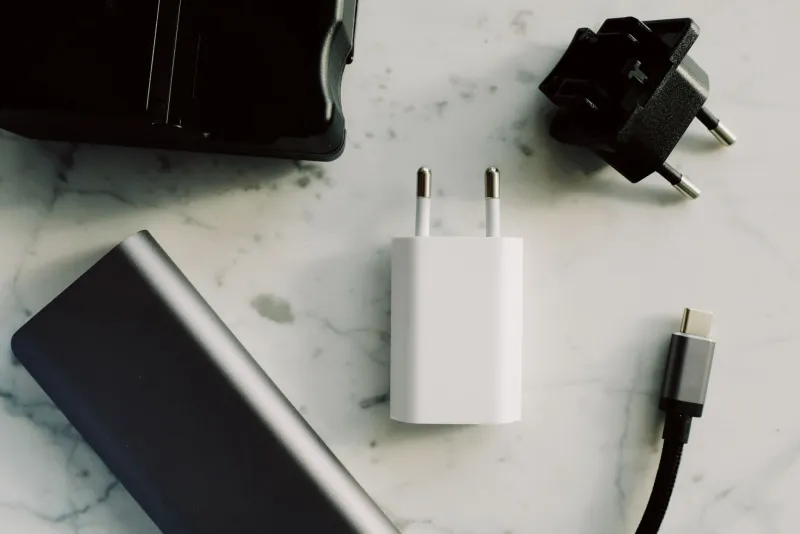
USB-C was meant to end the charger drawer. It hasn’t. The same oval port can mean 20W for a phone, 65W for a slim laptop or 140W for a desktop replacement, and the plug does not tell you which. A 65W brick is not automatically slow. It may be exactly right for a 45W ultrabook and completely wrong for a 90W creator laptop. The trouble is that the labels do not always make that clear.
Power Delivery is a negotiation, not a guarantee
USB-C Power Delivery works by negotiation. The charger advertises the voltage and current combinations it can supply, and the laptop asks for one it can use. Watts are simply volts multiplied by amps. A common 65W profile is 20V at 3.25A. A 45W profile might be 15V at 3A or 20V at 2.25A.
If your laptop wants 90W and the charger tops out at 65W, the laptop may charge slowly, hold its charge only when idle, or slowly drain while you work. Some machines will warn you. Others will just quietly underperform. That is why buying a charger that matches the laptop’s original wattage matters more than buying the smallest brick with the right connector.
The wall-wattage trap
Multi-port chargers are convenient, but the headline number can be misleading. A 100W charger might deliver 100W only when one port is used. Plug in a phone and the laptop port may drop to 65W or less. That is fine if your laptop needs 45W. It is not fine if it needs 90W.
Check the single-port rating before you buy. Look for a table or small print showing how power is shared. If the listing only says “100W total” and nothing else, assume the laptop port will be lower when other devices are connected. For a work bag, a simple single-port 65W charger is often less annoying than a multi-port box that makes you do maths every time you plug in a phone.
Cables: the 60W handbrake
This is the bit that catches people out. Many USB-C cables are rated for 3A, which is about 60W. A 65W laptop charger needs 20V at 3.25A, which is slightly over 3A. A cheap 60W cable may cause the charger and laptop to negotiate a lower power level, or it may simply refuse to deliver full speed.
Look for a cable rated at 100W or 5A for a 65W laptop. For 100W and above, look for an E-marked cable and, for very high wattages, EPR 240W ratings. The cable does not need to be expensive or gold-plated, but it does need the right rating. A charge-only cable is fine for charging; just don’t expect it to carry data or video.
Match the charger to your laptop
Find the original charger or the label underneath the laptop. Note the output in volts and amps, then multiply them. A 20V 3.25A output is 65W. A 20V 4.5A output is 90W. If the laptop charges over USB-C, that wattage is your target. If it has a barrel connector and a USB-C port, check the manual: some laptops charge more slowly over USB-C than with the original barrel charger.
Gaming laptops and mobile workstations often need their own big power brick. A 65W USB-C charger may keep one alive for light browsing, but it will not replace a 180W original supply. Do not try to run a gaming session from a phone charger and wonder why the battery is falling.
Safety and warranty in the UK
Buy from a reputable UK seller, with a proper UK three-pin plug, a fuse and UKCA or CE marking. Keep the receipt. A charger that runs hot, buzzes loudly or has a loose connector is not a bargain. Avoid no-name “100W” chargers sold for £12 with fake certification logos. If a cheap charger damages your laptop, you may find the laptop warranty does not cover the damage and the charger seller has vanished.
Check the warranty length and the returns policy. Twelve months is reasonable; 24 months is better. Do not cover a charger with a cushion or leave it under a duvet. If the cable is damaged, replace it rather than taping it up.
Sensible sub-£40 options
At 2026 prices, under £40 is realistic for a good 65W charger. Prices move, so check before you click. Anker’s 65W Nano and 65W three-port models often sit around £30–£40. UGREEN’s Nexode 65W is similar. Amazon Basics 65W GaN chargers are often cheaper still. For a 45W or 65W laptop, any of those is a sensible starting point if the single-port rating is clear and the reviews are decent.
If your laptop needs 90W or more, budget closer to £45–£60 for a reputable 100W model rather than forcing a 65W charger to do a job it cannot do. Under £40 is not a realistic target for a good 100W multi-port charger unless you catch a sale.
What to ignore
Ignore “gaming” labels on a 65W charger. Ignore “fast charging” claims that do not mention Power Delivery. Ignore fixed-cable chargers if the cable is the part that usually fails. Ignore pass-through hubs that steal wattage before the laptop sees it. A higher wattage charger is generally safe with a lower-wattage laptop because the laptop will negotiate what it needs, but quality and safety matter more than a big number on the box.
The two-minute buying checklist
- Find your laptop’s original wattage. 2. Check it charges over USB-C. 3. Look for the single-port output, not just the total. 4. Buy a 100W or 5A cable for a 65W laptop. 5. Choose a UK plug with UKCA or CE marking and a fuse. 6. Check the warranty and returns policy. 7. Keep the receipt.
A charger is not a status symbol. It is a power supply. Match the wattage, buy a cable that can carry it, and stick to brands that will still answer the phone if something goes wrong. That is how you avoid a 65W brick that looks the part but leaves your laptop crawling.