Ten Minutes to Save It: The Laptop Spill Playbook That Beats a £300 Quote

It's a Tuesday morning, the mug is at elbow height, the deadline is at lunchtime, and then the whole thing goes over in one unremarkable arc. Tea, coffee, water, someone's pint of squash — it doesn't much matter. What happens in the next ten minutes decides whether you're looking at a £60 keyboard swap, a £220 board repair, or a slow walk to the recycling centre.
This isn't a scare story. Plenty of soaked laptops live to work another day. But the difference between the ones that do and the ones that don't is almost never luck. It's what the owner did before the panic wore off.
Minute Zero: Cut the Power, Quietly and Fast
The single most damaging thing in a spill is electricity meeting liquid on a circuit board. So the priority order is: power off, then power out.
Hold the power button down for five to ten seconds until the machine dies. If the laptop is mid-shutdown and politely saving files, that's lovely, but don't sit there waiting for it while liquid pools around the keys. A hard shutdown loses unsaved work; a shorted board loses everything.
Next, pull the charger — from the wall first if you can reach it, then the laptop. Unplug the dock, the USB drive, the headphones, the SD card. If you're on one of the rare machines with a removable battery, get it out. Then stop touching it. Every key press pumps fluid further into the keyboard membrane and closer to the mainboard.
Minute Two: Tip It, Don't Shake It
Turn the laptop upside down and rest it in a tent shape, keyboard facing the floor, like a tiny ridge tent. Gravity is your friend here: it pulls the liquid back out the way it came in rather than letting it seep down through the hinge channel into the chassis, which is where the expensive components live.
Blot the surface with kitchen roll. Blot, don't scrub — scrubbing pushes moisture into gaps and can scratch a screen coating if you've managed to splash that far. Don't keep pressing keys to see if they've stopped being sticky. Don't tilt it back and forth to hear the sloshing. You're not draining a radiator.
Leave it tented on a dry surface, in a room that's warm but not hot, with the lid open. Then walk away and make a second cup of tea, because the next bit requires patience.
The Five Moves That Turn a Small Job Into a Big One
Most spill write-offs we hear about weren't caused by the spill. They were caused by the recovery attempt.
The rice bag. Rice does not pull moisture out of a keyboard. It does add starch dust and, eventually, grains to your fan and hinge. Save the rice for dinner.
The hairdryer. Warm air feels helpful. It warps keycaps, softens adhesives, and can cook a battery. A radiator, an airing cupboard with the boiler in it, or the oven on a low setting are all in the same category of bad idea.
The hourly power-on test. 'Just checking if it works now' is the single most common way a damp board becomes a dead one. Every boot is another roll of the dice on a short. Leave it off. Properly off.
The laptop bag. Warm, padded, sealed, dark — it's a corrosion chamber with a shoulder strap. Leave the machine out in the air.
The vacuum cleaner. Static and loose components don't mix. Skip it.
What a Repairer Actually Looks For
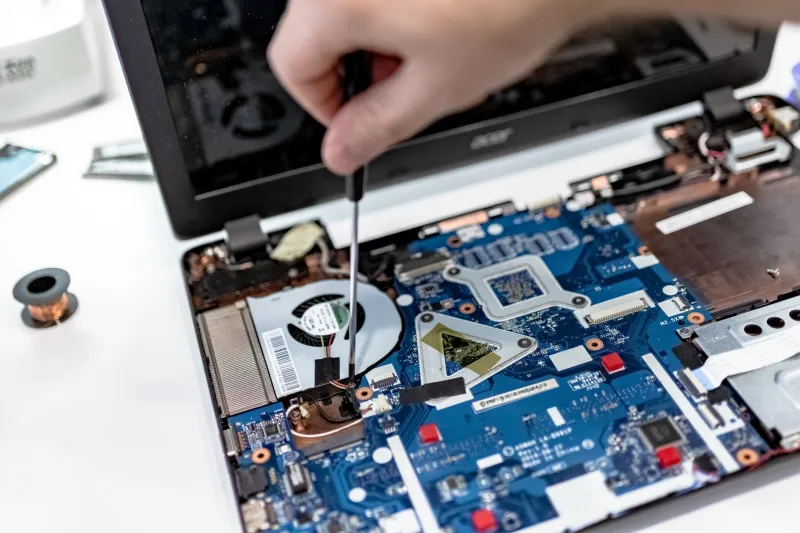
When you hand the machine over, a decent technician isn't just drying it. They strip it, lift the keyboard out, and inspect the mainboard under magnification for the tell-tale green-white fuzz of corrosion. They'll check the charging circuit, because that's the first thing to go when liquid reaches the power input, and they'll test the keyboard membrane — sticky keys that work today often stop working in three weeks as the contacts corrode.
Ask two questions before work starts: what's the diagnostic fee, and can I see photos of the corrosion before you authorise anything? A fair shop will happily show you. Expect roughly £30–£60 for diagnosis, a keyboard replacement somewhere in the £50–£120 range on a common business model, and board-level work from £120 upward. Prices move around, and a specialist is worth more than a cheap quote that involves no microscope.
The best repairers will also tell you when to stop. If a £700 machine needs £300 of board work, that's a conversation, not an automatic yes.
The Repair-or-Replace Sums
Run the numbers honestly. A two-year-old laptop with a solid spec and a £150 repair is usually worth fixing. A five-year-old budget machine that was £350 new and now needs a £220 board job is not — that money buys a perfectly decent refurbished business laptop with a warranty.
There's one exception: data. If there's unbacked-up work on the drive, a caddy or a data extraction service can often recover it for less than a full repair, and the old machine can then be retired without drama. But never power the laptop on to rescue files yourself — pull the drive instead.
Insurance, Excess and the Liquid Clause
Check your home contents policy before you assume anything. Accidental damage cover sometimes includes laptops, occasionally extends to personal possessions away from home, and almost always has a liquid damage clause worth reading twice. Look at the excess — £50 to £250 is typical — and remember that a claim may affect your premium at renewal.
Gadget insurance usually wants the incident reported quickly and will ask for a receipt. Tell the truth about what happened. 'It just stopped working' is the sort of phrasing that gets a perfectly valid claim declined, and insurers are very good at spotting a spill once the case is open.
The Backup Habit That Changes the Bill
Here's the uncomfortable truth: most spill 'disasters' are really data disasters wearing a waterproof coat. A machine with everything in OneDrive or Google Drive, plus a cheap external SSD at home, turns a £300 headache into a mildly annoying week with an old spare laptop. If your only copy of something lives on a machine with a mug next to it, that's the risk worth fixing this weekend — not after the next spill.
Prevention, For Those Who Insist on Drinking at Their Desk
A silicone keyboard cover costs under a tenner and has saved more laptops than any warranty. Keep the lid shut whenever a drink is within arm's reach, use a travel mug with a proper seal, and put the mug on a different surface rather than balancing it on the palm rest. Also: the closed lid is not a coaster. We've seen the photos.
Ten calm minutes, a bit of blotting, and the discipline to leave the thing switched off is the cheapest repair you'll ever do. The alternative is a hairdryer, a bag of rice and a quote you'd rather not read.